
Many sites in one app: separate folders, chats and 5 app languages
You can build as many websites in ShipPress as you like. Each one lives in its own folder and keeps its own chats, so work on one site never mixes with another. This tutorial shows how to find your sites, move between them, and switch the app to your language.
By Oberon Lai. I make ShipPress (Codotx, LLC), so this is our own product.
-
See all your sites
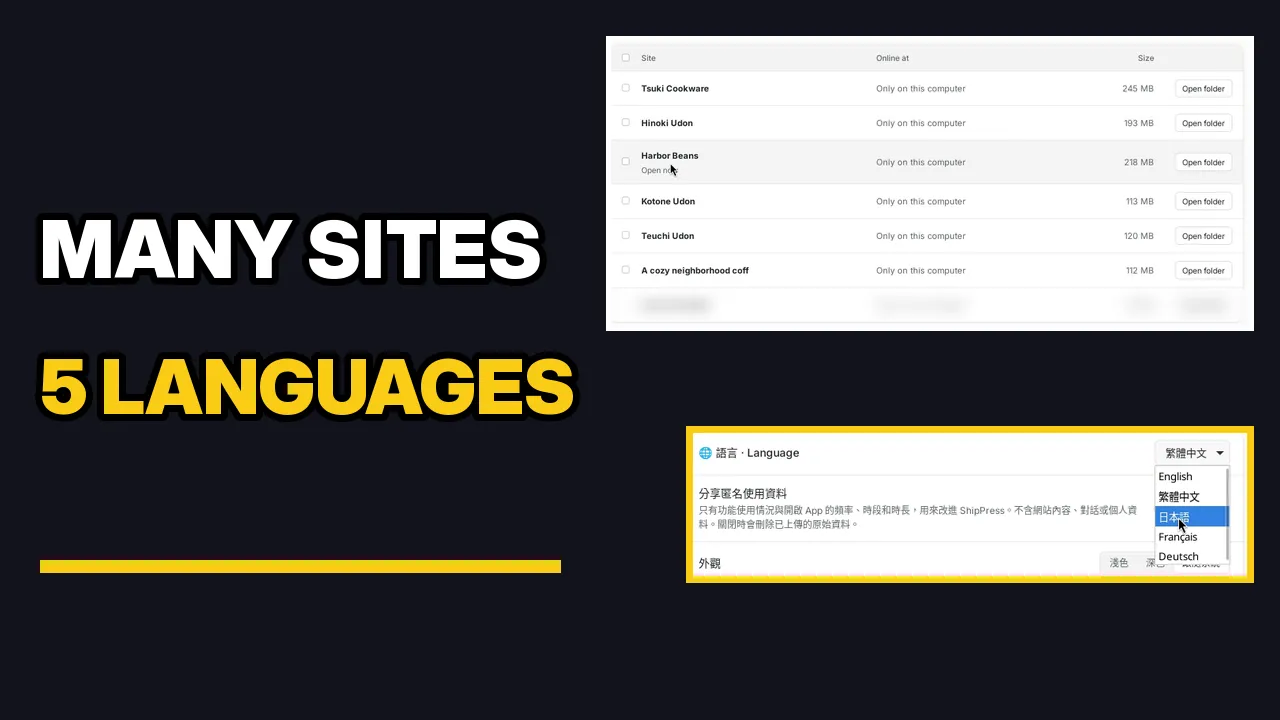
On Home, the card at the top takes you back to the site you worked on last. Below it, Your other websites lists a few more. Click Show all sites to see every website on this computer, with when you last worked on each one.
-
Each site has its own folder
Click Sites in the sidebar. The Sites page lists every site on this computer with its size. Click Open folder next to a site to see its files: a complete WordPress install (wp-admin, wp-content, wp-config.php and the rest). Every site gets a separate folder, so nothing is shared between sites.
-
Each site keeps its own chats
Click a site on Home to open it. The sidebar lists your chats, and each one shows the site it belongs to. Open one to see the whole conversation: what you asked, every step the AI took, and what changed.
-
Switch to another site
Click the site name at the top of the window and pick another site from Your sites. It opens with its own preview and its own chats. Nothing from the first site shows up there. To go back, pick the first site again or click its chat in the sidebar.
-
Change the app language
Open Settings › General and choose a language from the Language list: English, 繁體中文, 日本語, Français or Deutsch. The app switches right away, with no restart. Your chats and your websites stay exactly as they are.
-
Find your way back
The language setting is always labelled “Language” in English too, next to a globe icon, so you can find it even if you picked a language you can't read. Pick English to switch back.