
Describe your site in one sentence
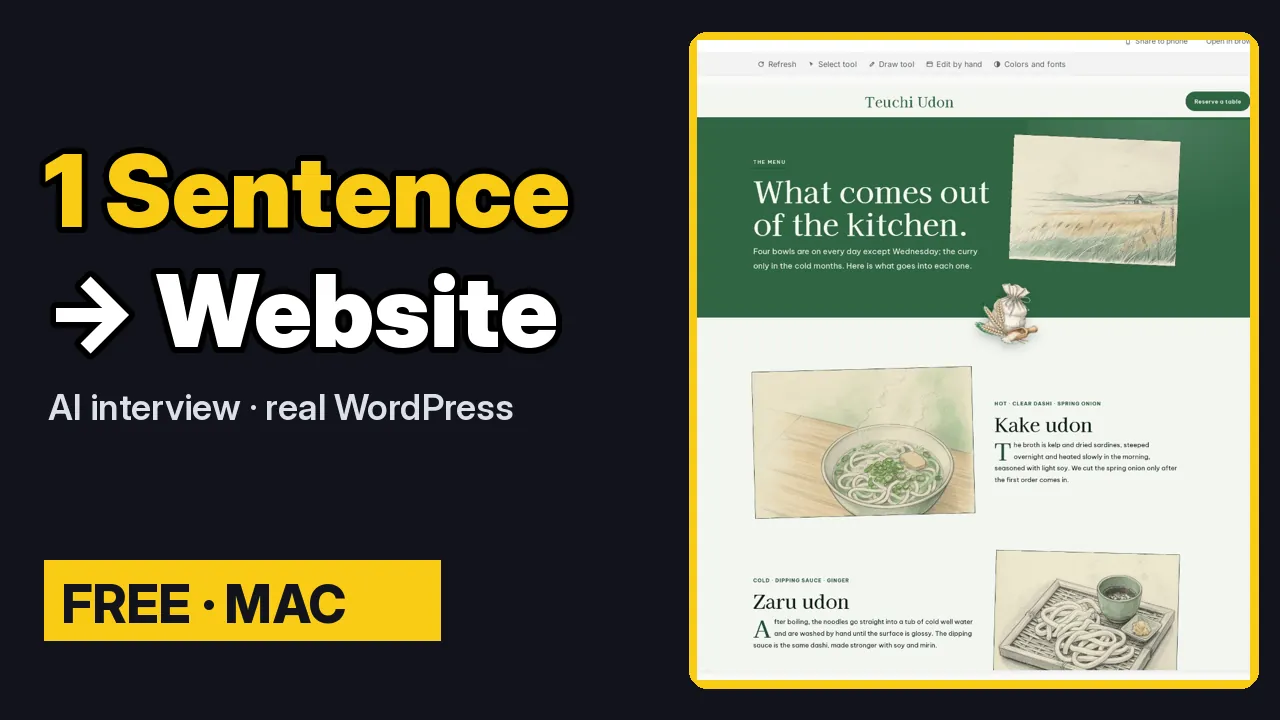
You don’t need a template or a plan to start a site in ShipPress. One sentence is enough. This tutorial follows a small udon shop from that first sentence to a site with its own design: the interview, the first build, changing the design, asking the AI to fit your content, and checking the result. It all happens on your Mac, and nothing is public until you click Go live.
By Oberon Lai. I make ShipPress (Codotx, LLC), so this is our own product.
-
Describe your site in one sentence
On Home, find the box under What website do you want to make? Describe your site the way you would tell a friend: the name, what you do and where. For example:
A small handmade udon shop in Kyoto called Hinoki Udon
Press Enter or click the arrow. Putting the name in the sentence (after called) matters: ShipPress uses it as the site’s name. You can still change the name later.
-
Answer the short interview, or skip it
Next comes the Website interview: six quick questions. Your sentence is shown at the top, so you only add what is missing.
- Who are you, and what do you do?
- Who do you most want to visit your site?
- What do you sell or offer?
- Once the site is online, what would make you happy? For example, more bookings or more messages.
- What must be on the site? For example, prices, opening hours, a map.
- What style do you like? For the udon shop: warm and calm, with wood tones.
Short answers are fine, and you can leave any question blank. Your answers become the brief the AI works from. On the last question, click Build my site. In a hurry? Skip questions, build my site starts straight away with just your sentence.
-
Let the AI build a first version
ShipPress creates the site on your computer as a real WordPress site, names it from your sentence, and the AI gets to work. The very first site takes a little longer while ShipPress gets WordPress ready.
You can keep typing while it works. New messages wait their turn. When it is done, the AI tells you what it built and what it still needs from you, such as your real prices and opening hours.
-
See it in the preview
Click See it in the preview. The first version uses the simple ShipPress basic design. The pages and sections are there, but the look is plain. The next step gives it a proper design.
-
Change the site’s design
Open the site menu at the top of the preview and choose Change this site’s design…. You get the same design wall as on Home, with the same filters and search. Search for udon and a design made for exactly this kind of shop comes up. Click it for a closer look.
ShipPress tells you what stays, and saves a restore point first, so you can change back with one click. If your site is still new, tick Also add the new design’s sample content to get the design’s own pages too. Then click Use this design.
A few seconds later the site uses the new design. With the sample content ticked, pages such as the menu, the shop’s story, a journal and letters are added. The first time you use a design it is downloaded, which can take a minute or two.
-
Ask the AI to fit your content
The home page may still have the sections from the first version. In the chat, ask the AI to redo it, for example:
Redo the home page in the new design, using what I told you in the interview, and remove the placeholder sections.
For the udon shop, the AI rewrote the home page with the shop name and a Reserve a table button at the top, the shop’s story, today’s bowls, opening hours and a reservation section. It doesn’t make up prices or hours. It asks you for them instead, so the site only says what is true. Click See it in the preview again when it is done.
-
Look through the pages and the phone view
Scroll through the home page. Use the site’s own navigation to open the other pages: in this design, Menu shows a drawing of each bowl, and the About page tells the shop’s story. Switch between Computer and Phone to see how it looks on a small screen.
Every page is a real WordPress page. To change anything, just say what you want in the chat.
-
Tips for a better first build
- Put the name in your sentence, after called, so ShipPress uses it.
- Give one concrete detail per answer: a real dish, a real audience, a real goal. Concrete answers give the AI much better material than general ones.
- In a hurry? Skip the questions. You can always tell the AI more in the chat later.
- Give the AI your real facts (prices, hours, address) when it asks, instead of leaving placeholders.
-
Where to go next
To learn more about choosing a design, read Find the right design. To keep changing your site, follow Edit your site, and when it is ready, Go live.
Don’t have ShipPress yet? Download ShipPress (free, Mac).