
Edit your site
Changes stay on your computer until you click Go live.
-
Say what to change
The chat is on the left. Type the change and press Enter. The preview on the right updates. This is the copy on your computer. Visitors cannot see it, or your changes, until you click Go live.
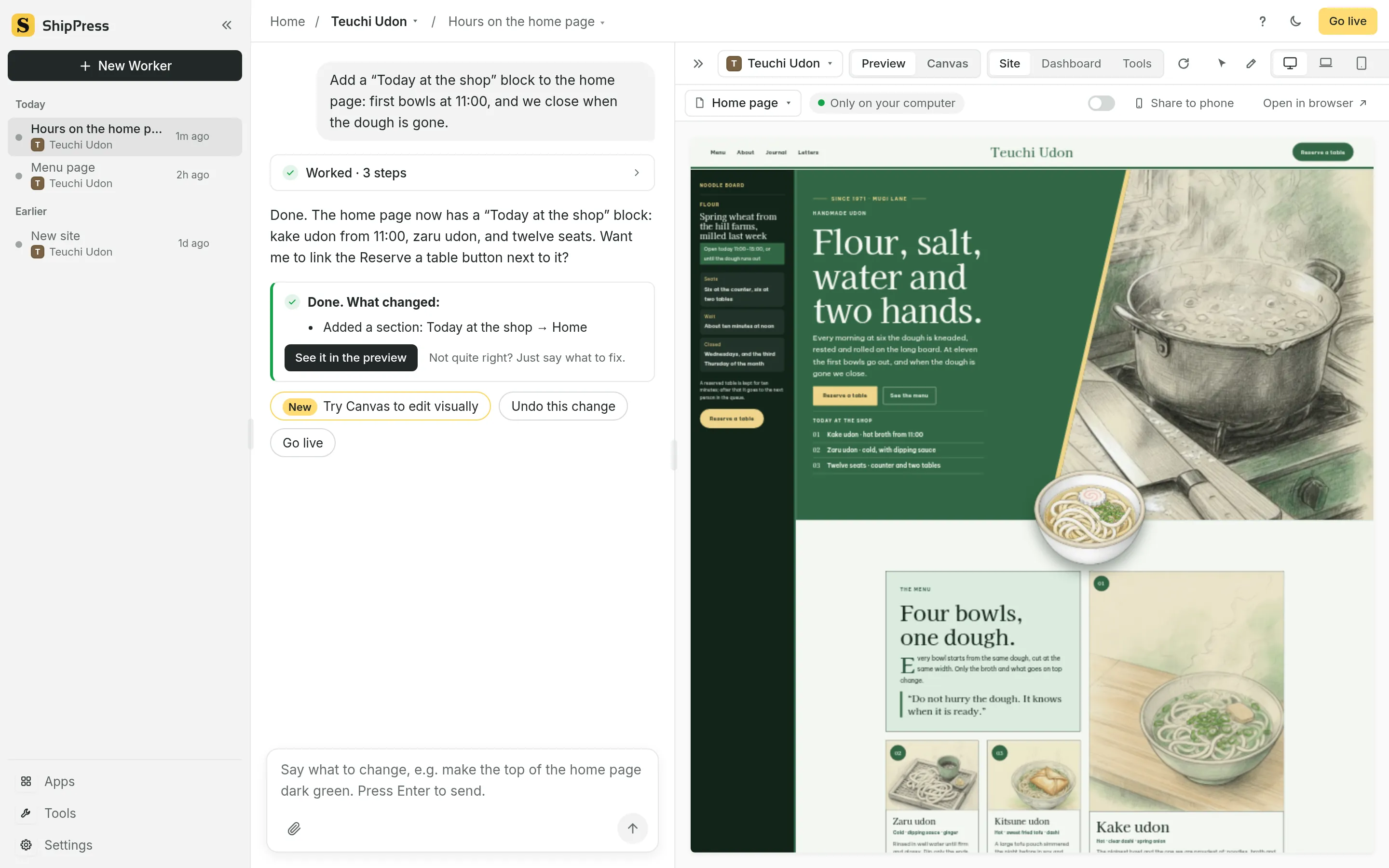
Chat on the left, live preview on the right. -
See every page
Click All pages. ShipPress calls this Canvas: every page sits side by side. Click a heading, some text or a picture, or type what to change in the box below.
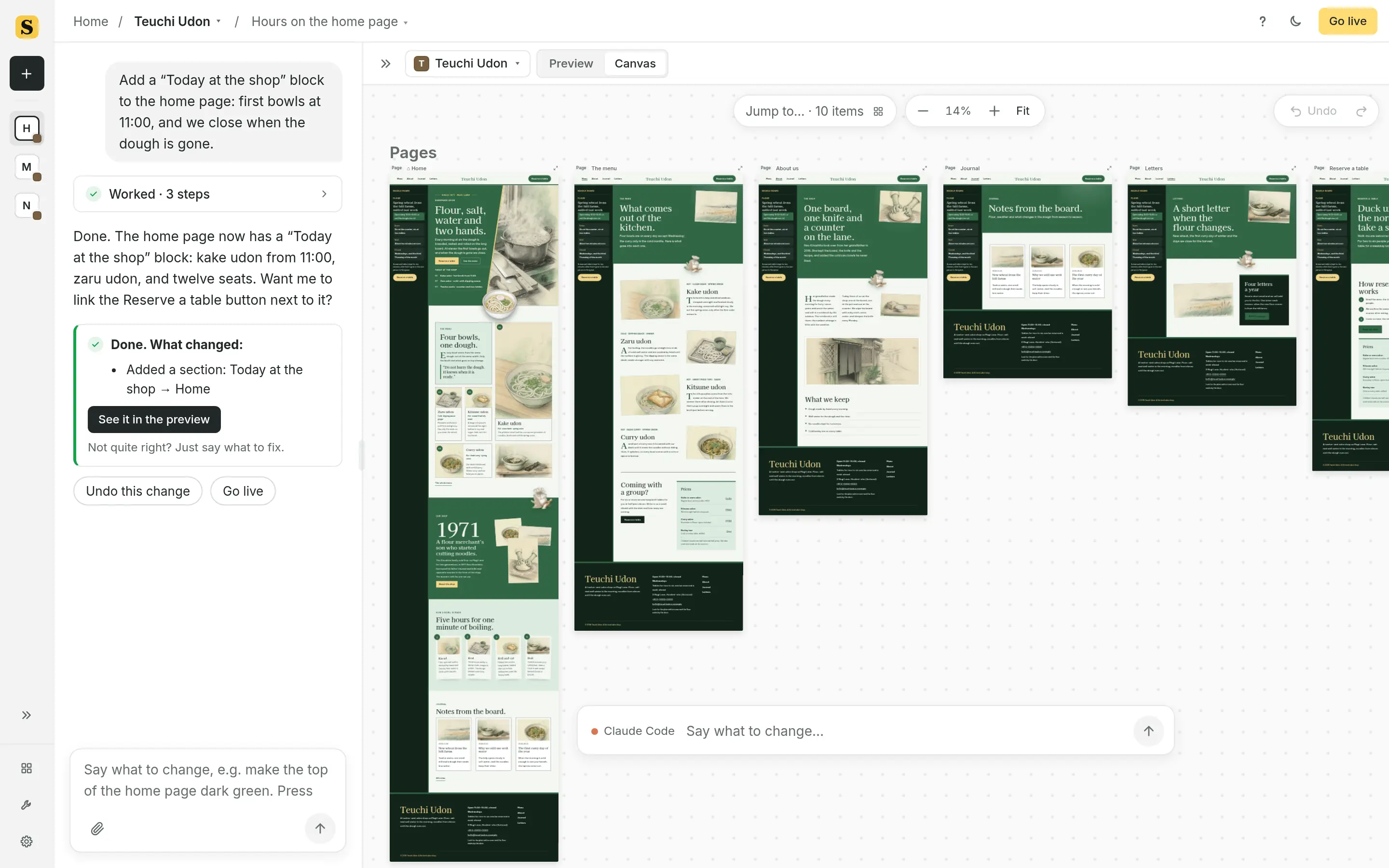
All pages, side by side. ShipPress calls this view Canvas. -
Open it on your phone
Share to phone makes a temporary link and a QR code. A password is on by default: Ask for a password (recommended). Click Start sharing. While sharing is on, anyone with the link can see the site. The dashboard and the login page are not shared. Sharing stops when you close the window or the site, and after 2 hours. Stop sharing ends it sooner. The first time, ShipPress downloads its sharing tool once.
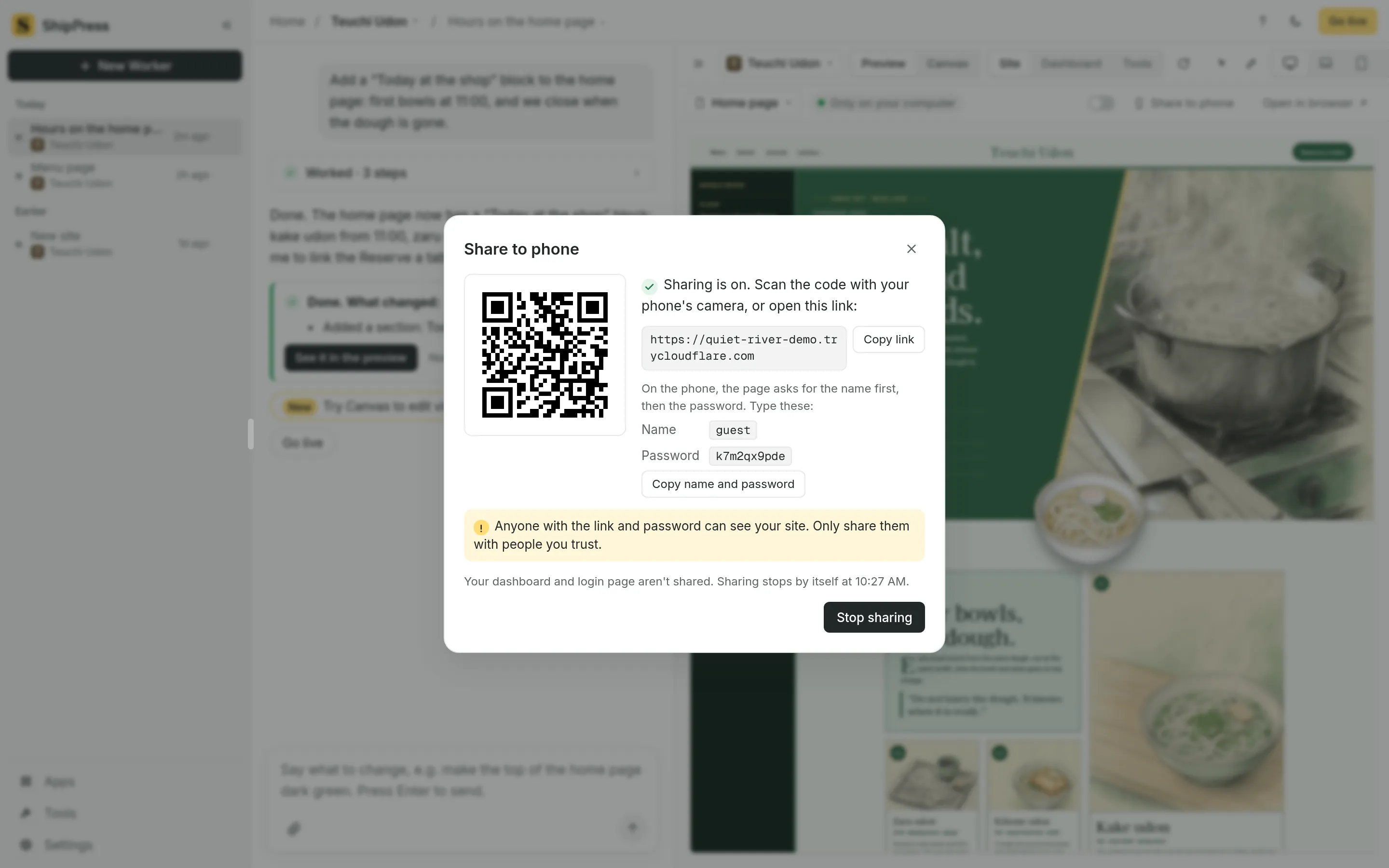
Share to phone: a temporary link, a QR code, and Stop sharing.