ShipPress AI credits

No AI subscription? Buy credits and still get a website that works.

ShipPress is free to download and use. Credits are the optional way to pay for the AI inside the app, so ShipPress can build you a complete, working website, not just a pretty page. Already have an AI subscription? Keep using it with ShipPress at no extra cost.

Two ways to power the AI

Free

I already have an AI subscription

Use Claude Code, Grok Build, Codex, Antigravity CLI or Cursor CLI, signed in with your own account. ShipPress adds no charge and never sees your login.

Available in the app

I don’t have one

Buy ShipPress AI credits and build your site without setting up an AI account of your own. Credits run on OpenAI GPT models.

ShipPress AI credits

Credit plans

Credits are used when the AI works on your site. Prices are in US dollars and include tax.

Available now in the app. In ShipPress, open Settings → Your AI → ShipPress AI and choose Buy credits. The plans below are the ones you see there.

One-time packs

Pay once. Credits are valid for 12 months.

  • Starter

    US$10 one-time

    1,600 credits

  • Builder

    US$29 one-time

    5,300 credits

  • Studio

    US$79 one-time

    15,000 credits

Monthly plans

Billed every month.

  • Lite

    US$19 per month

    3,200 credits

  • Pro

    US$49 per month

    8,900 credits

Free trial

New accounts get 1,000 free credits, valid for 14 days.

How to buy credits in the app

It takes about a minute. You pay on Stripe’s secure payment page; ShipPress never sees your card details.
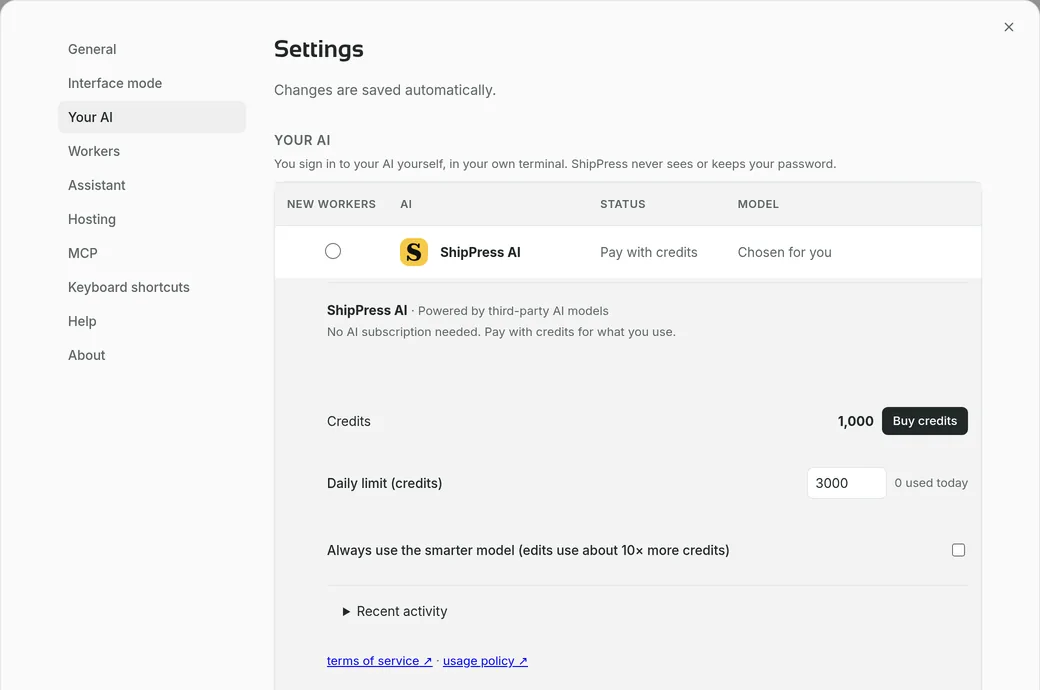
  1. ShipPress Settings, Your AI section, with the ShipPress AI card showing the credit balance and a Buy credits button

    Open Settings → Your AI

    In ShipPress, open Settings, choose Your AI and select ShipPress AI. Your credits are shown here. Sign in with your email first if you haven’t; new accounts get free trial credits.
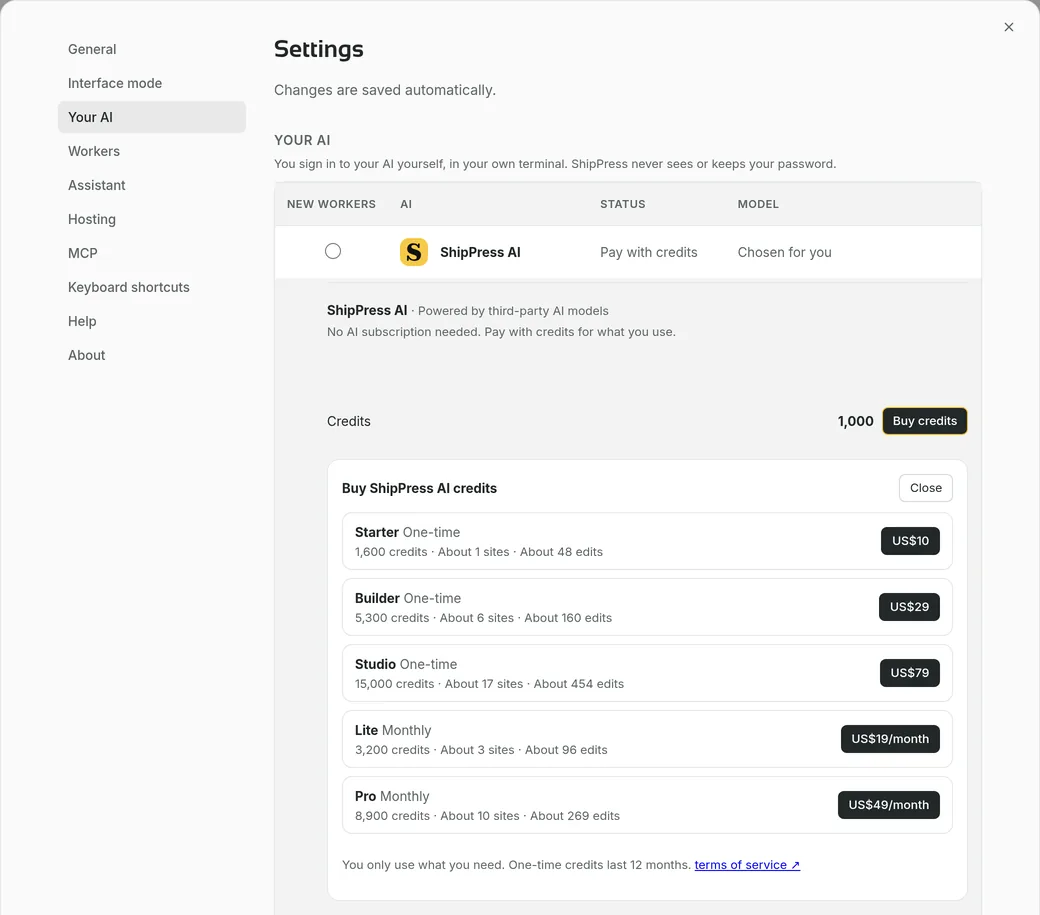
  2. The Buy ShipPress AI credits list: three one-time packs and two monthly plans with their prices

    Pick a plan

    Click Buy credits and choose a one-time pack or a monthly plan.
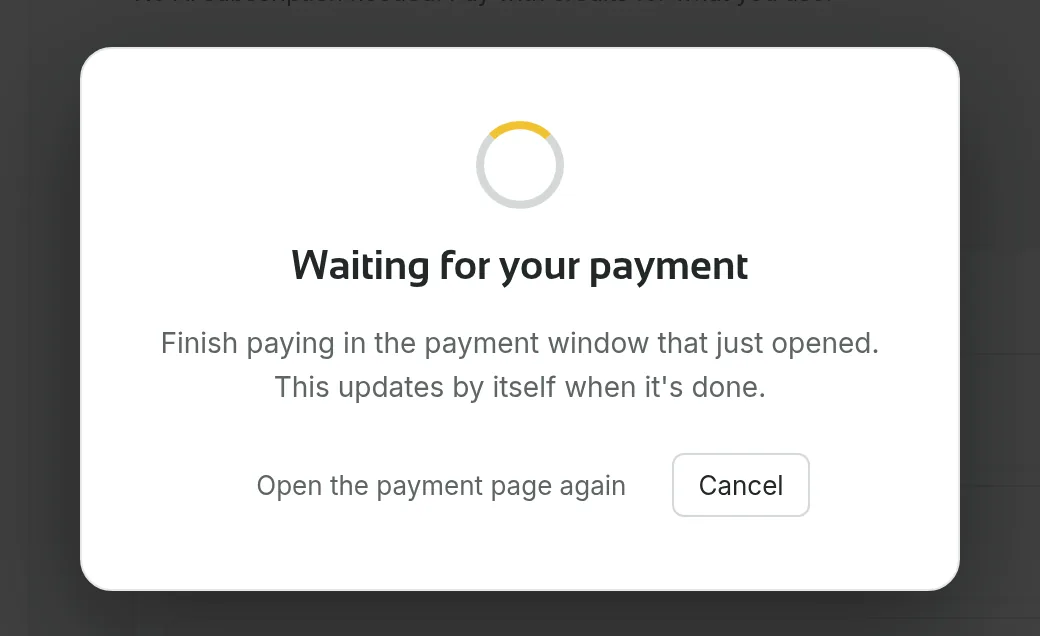
  3. The “Waiting for your payment” screen shown while the payment window is open

    Pay with Stripe

    The payment page opens in its own window. Pay there; ShipPress waits and updates by itself, so there is nothing else to do.
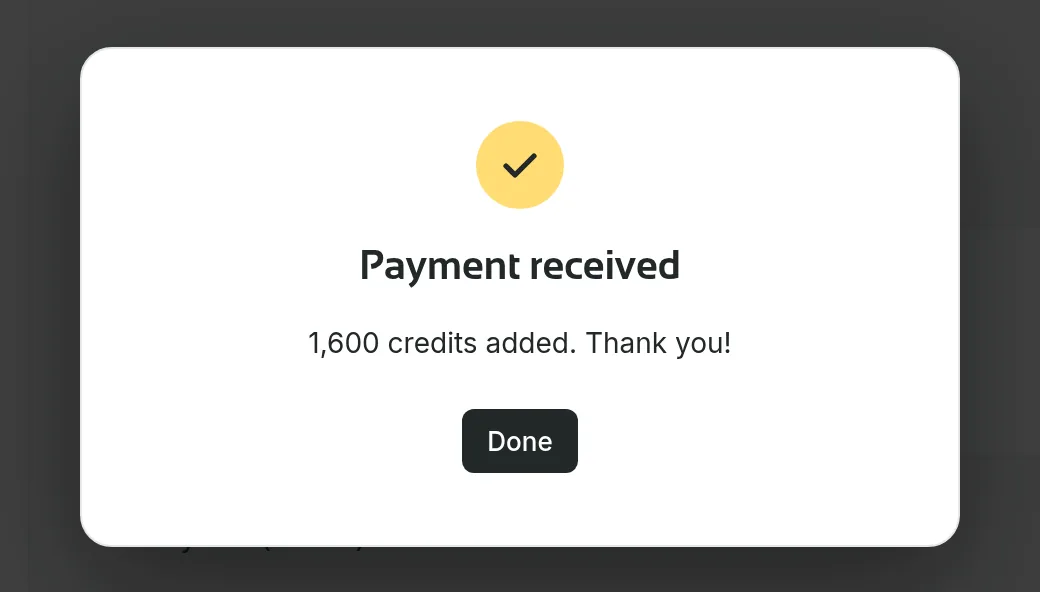
  4. The “Payment received” screen confirming that credits were added

    Credits appear

    When the payment goes through, the credits are added to your balance and you can keep building.

Purchase terms

ShipPress AI credits are an optional, paid way to use AI inside the app. The app itself stays free. These rules apply when you buy or use credits:

  • Age. You must be 18 or older to buy or use credits.
  • Refunds. A credit pack you have not used can be refunded in full within 14 days of purchase. Once you use credits, you give up your right of withdrawal for them, as stated on the checkout page.
  • Expiry. One-time credit packs expire 12 months after purchase.
  • Unsupported regions. Credits cannot be used in regions that our AI providers do not support or that are subject to sanctions. We may block access, and cancel and refund a purchase made from or billed to such a region.
  • Acceptable use. Your use of credits is subject to the Acceptable use rules above.
  • Monthly plans. Credits from a monthly plan do not roll over. They reset at each renewal.
  • Free trial credits. Trial credits expire 14 days after they are granted.
  • Cancelling. If you cancel a monthly plan, your remaining credits stay usable until the end of the current billing period.
  • Removed credits. If a purchase is fully refunded, charged back or found to be fraudulent, the credits from it are removed right away.
  • Tax included. Prices are in US dollars and already include tax, so the price shown is the price you pay.
  • OpenAI models. ShipPress AI credits run on OpenAI GPT models, and your requests are sent to OpenAI through ShipPress. See the privacy policy for the details.

These are the same rules as in our Terms of Use (ShipPress AI Credits). If anything differs, the Terms of Use apply.

What you build

A website that works, not just a pretty page

Whichever AI you use, ShipPress aims at a finished site you can put online.
  • Real pagesEvery design is a complete WordPress block theme with its own pages, fonts and colours, and you can still edit it by hand in the WordPress admin.
  • Shop featuresDesigns marked E-commerce come with WooCommerce shop features, so a site can sell and not just show.
  • Made to go livePut it online on your own web address, on an ordinary host or on ShipPress hosting. ShipPress tells you plainly what will be replaced.
  • Safe to changeA restore point is saved after every AI change, so you can go back to an earlier version.
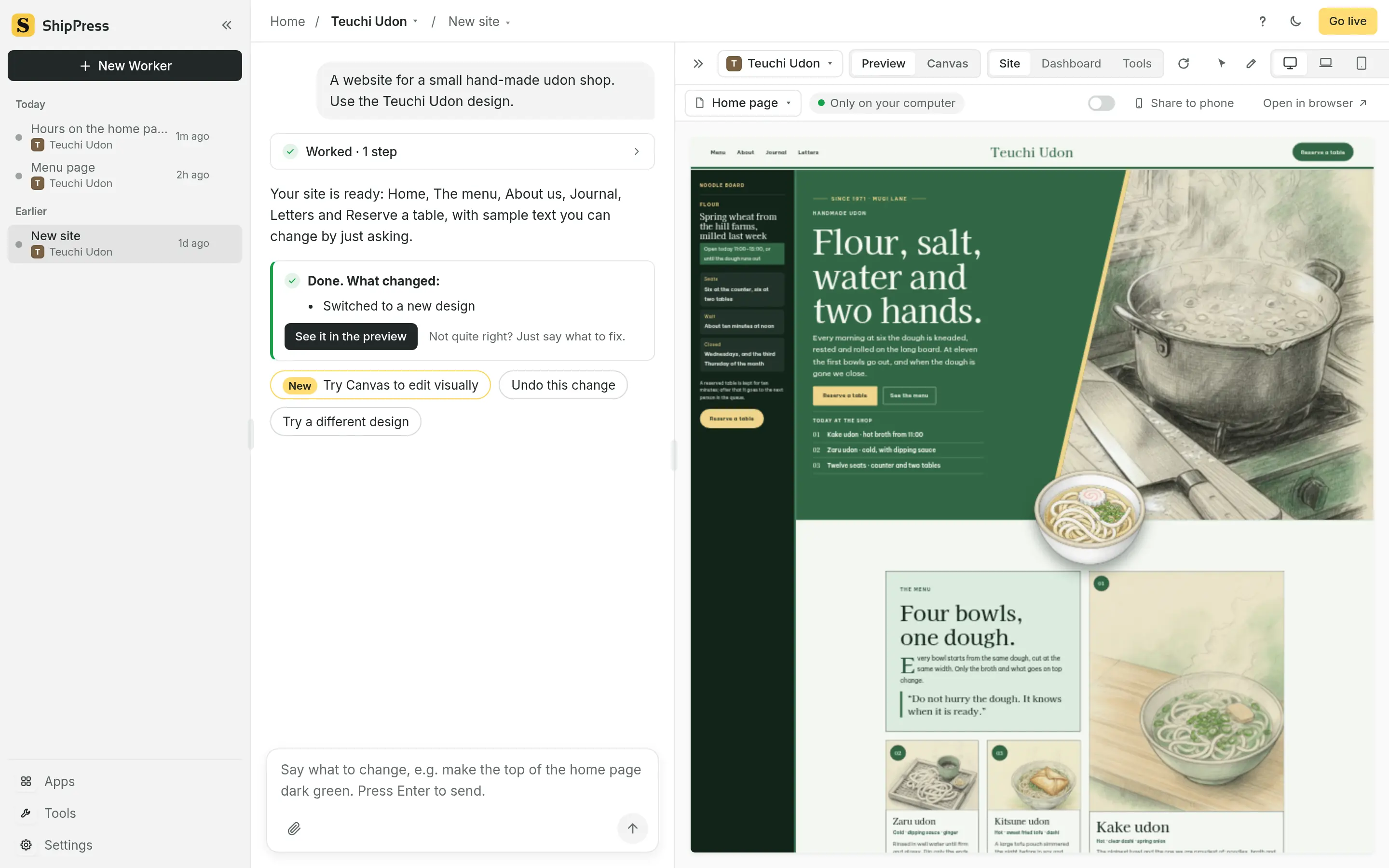
ShipPress right after a new site was created from one sentence: the chat says the site is ready, and the preview shows the Teuchi Udon home page for a small hand-made udon shop.

Claude Code, Grok Build, Codex, Antigravity, Cursor, OpenAI, WordPress and WooCommerce belong to their respective owners. ShipPress is an independent project and is not affiliated with or endorsed by any of them.

Start with the free app

Free to download for Mac. Use your own AI subscription, or buy ShipPress AI credits right in the app.

Windows version: leave your email and we’ll let you know

Not sure which to pick? Apple menu → About This Mac: “Chip: Apple M…” means Apple silicon, anything else is Intel.